Booker guide
How to list a comedy gig and book your acts
List your comedy night or open mic for free, let comedians apply, and book your lineup. Seven steps, with screenshots from the app.
To list a comedy gig on Open Comedy, tap Post a gig and add the name, venue and date. Then add the spots you need. Comedians near you see the gig and apply. Open the Applicants tab, watch their clips and tap Book. It is free, and the form takes a few minutes.
Add your gig
Three short screens. Nothing is public until you tap Post event.
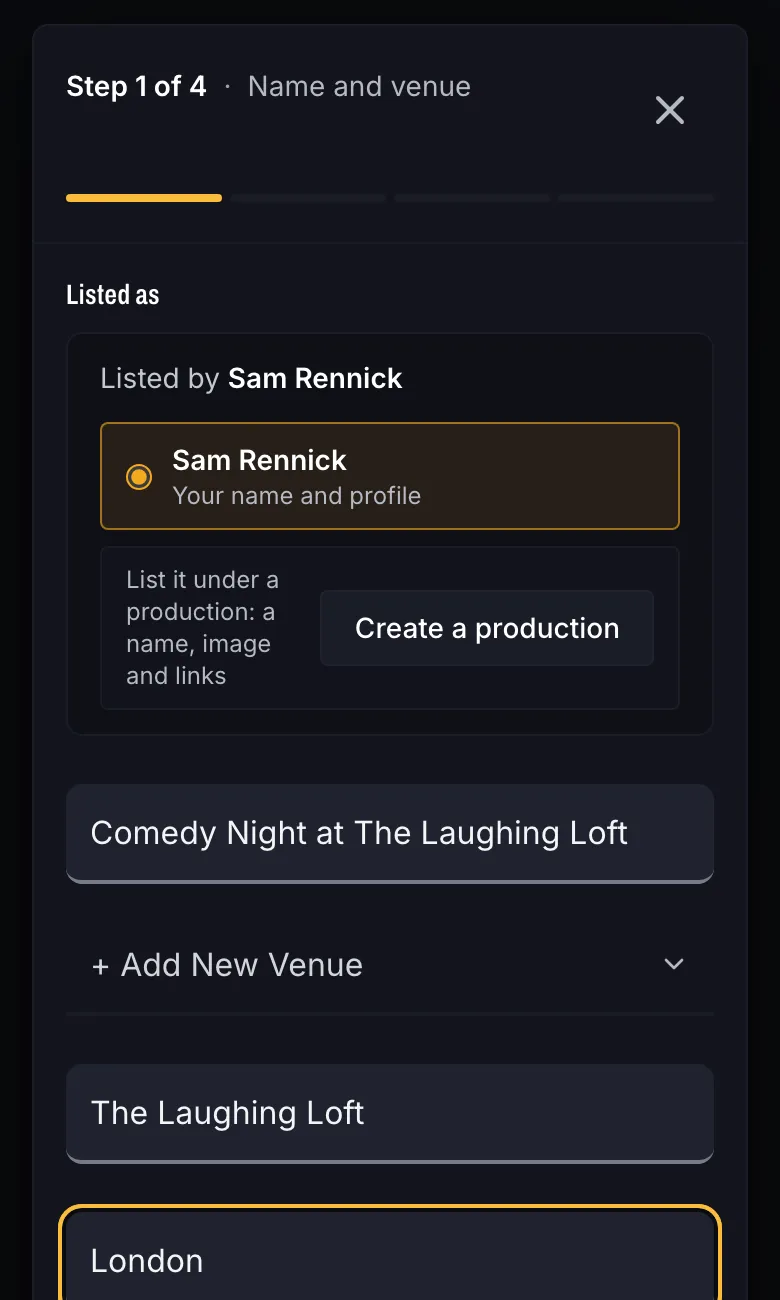
Step 1: Name the gig and the venue
Tap Post a gig in the top bar, or open My Events and tap New gig. Then fill in three things:
- Event name, the way it would read on a poster.
- Venue name, such as the pub or club.
- Town or city. The country is set for you, and you can change it.
Listed as is the name comedians see on the gig. Keep your own name, or create a production if your night has its own name and logo.
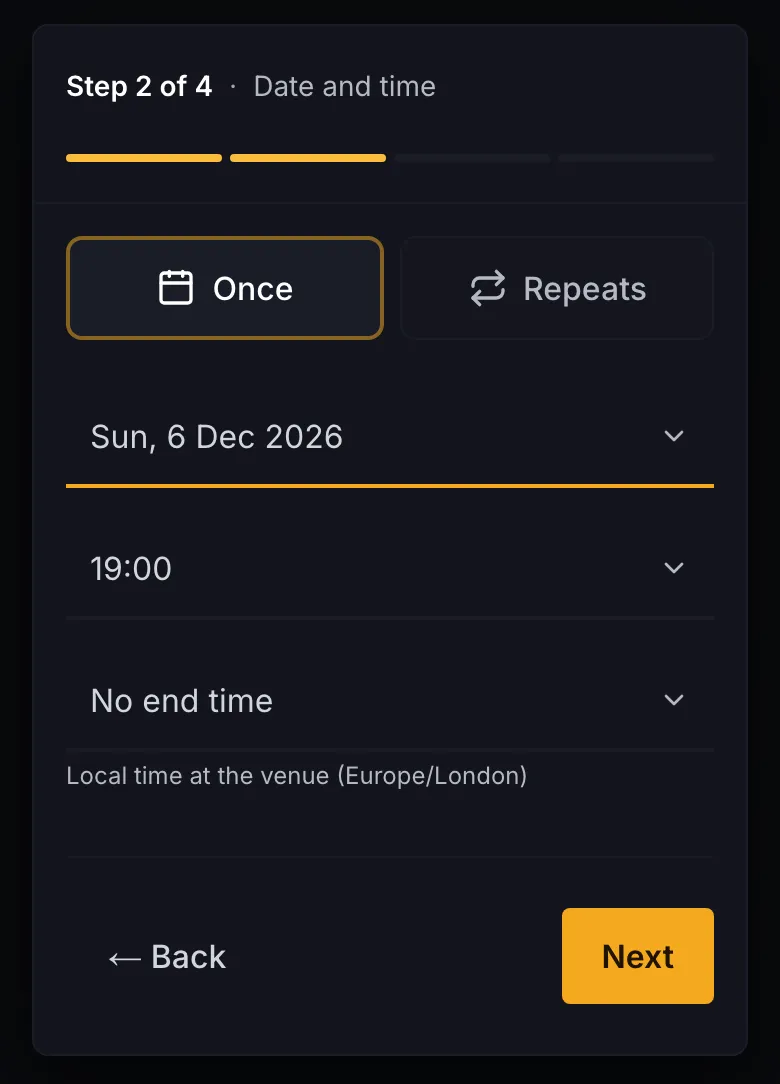
Step 2: Set the date and time
Choose Once for a single night. Pick the date and the start time. An end time is optional.
Times are local to the venue, so a London gig shows London time to everyone.
Running the same night every week or month? Choose Repeats and set the schedule once. Each date becomes its own gig with its own lineup.
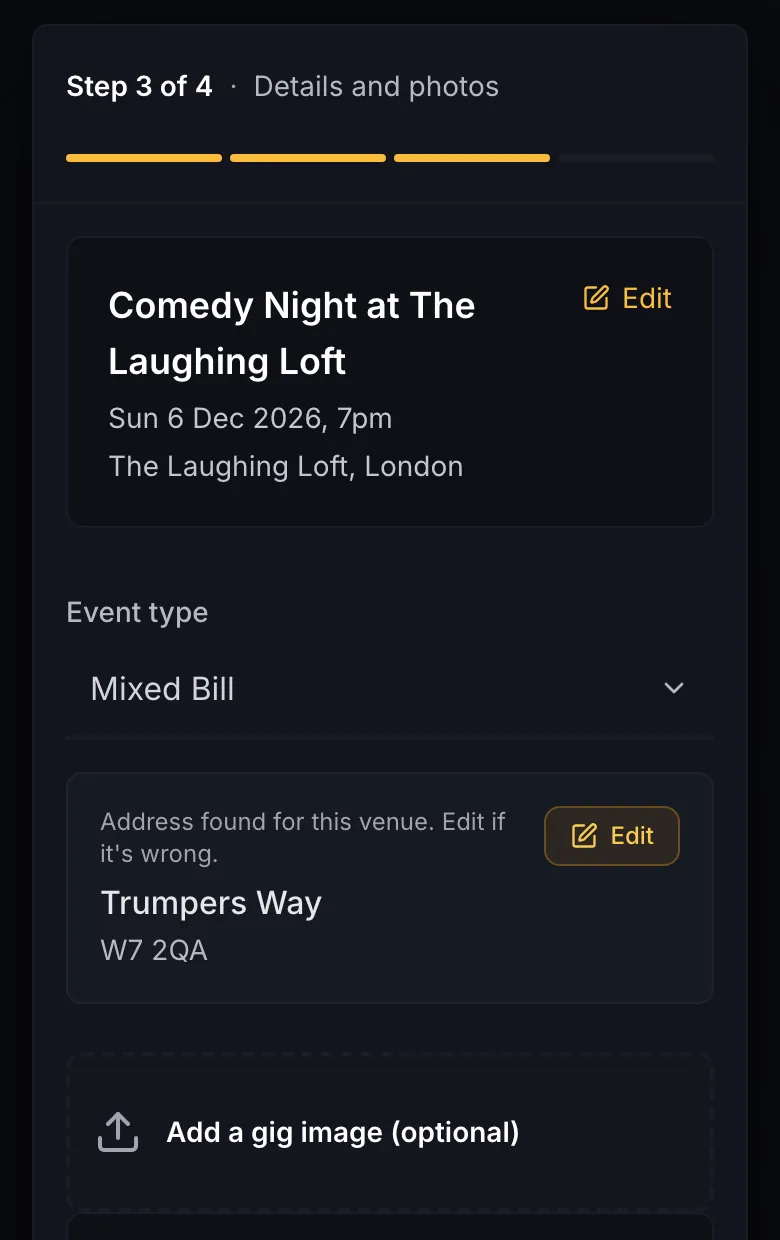
Step 3: Add the details and post
The last screen is what comedians read before they apply.
- Event type: open mic, mixed bill, showcase and so on.
- Address: it is looked up from the venue name. Tap Edit if it is wrong.
- Description: say what the room is like, how long the sets are and when to arrive.
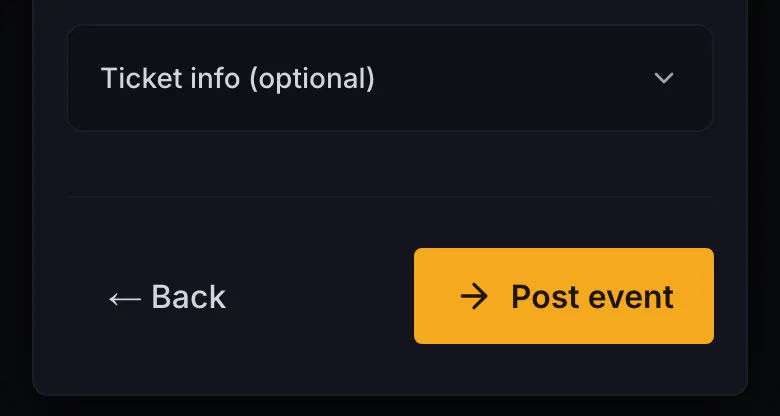
- A gig image, venue photos and ticket info are optional. You can add them later.
Tap Post event. Your gig is live, and you land on its lineup.
Fill the bill
A gig with no spots has nothing to apply for. This is where the booking happens.
Step 4: Add the spots you need
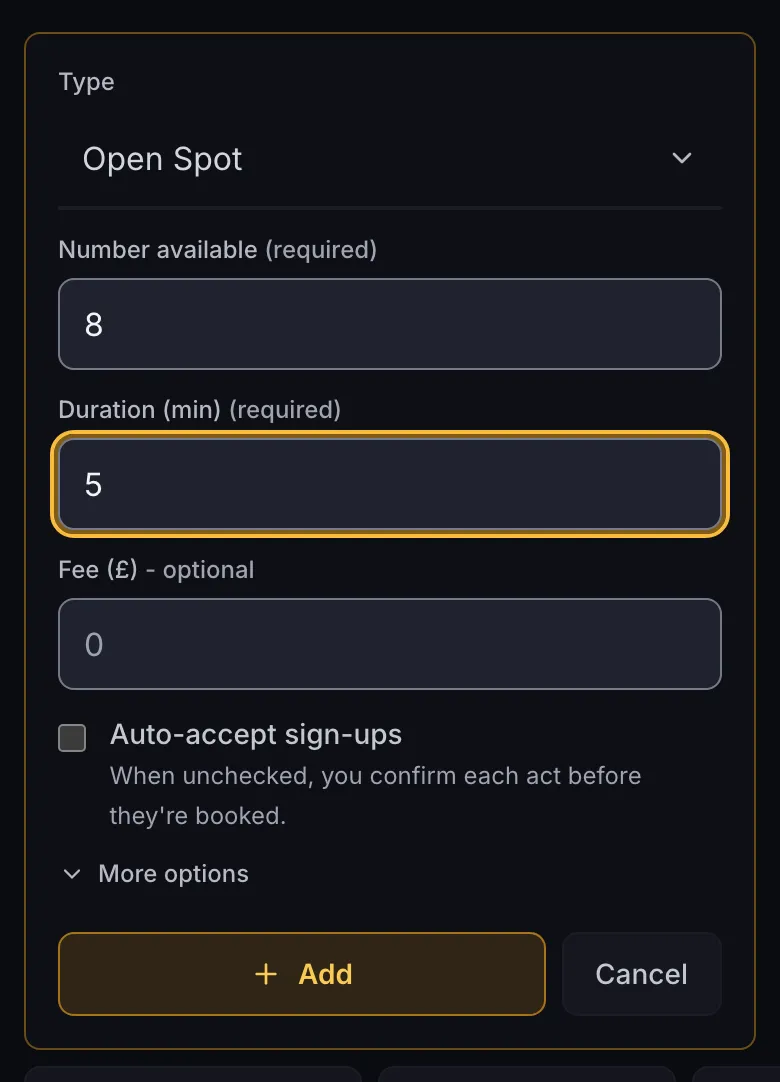
A spot is a place on the bill. On the Lineup tab, tap Add for each kind of spot you want to fill.
- Type: MC, open spot, featured act, headliner.
- Number available: eight open spots is one entry, not eight.
- Duration in minutes, and a fee if the spot is paid.
Leave Auto-accept sign-ups off to choose your acts yourself. Turn it on for an open mic where the first to sign up get the spots.
Step 5: Share your application form
Your gig now shows in the gig listings, where comedians near you browse and apply. Sharing the link gets you applicants faster.
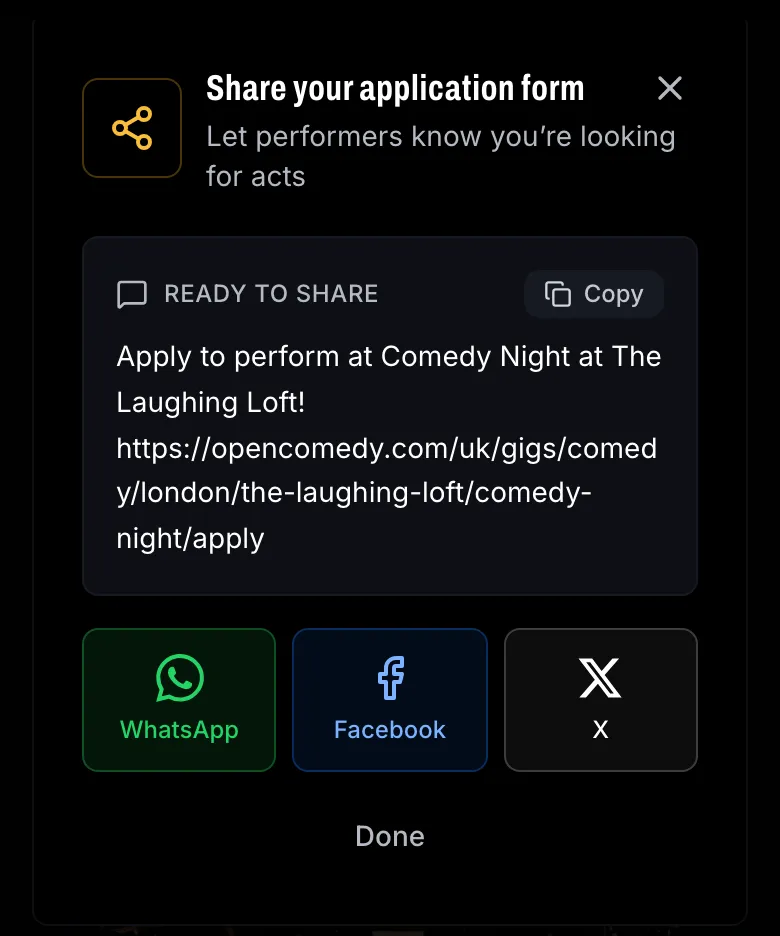
On My Events, tap Share apply form on your gig. Copy the link, or send it straight to WhatsApp, Facebook or X. Post it wherever your acts already are: group chats, your page, your stories.
Already know who you want? Tap Invite a performer on the lineup and offer them the spot directly.
Step 6: See who applied
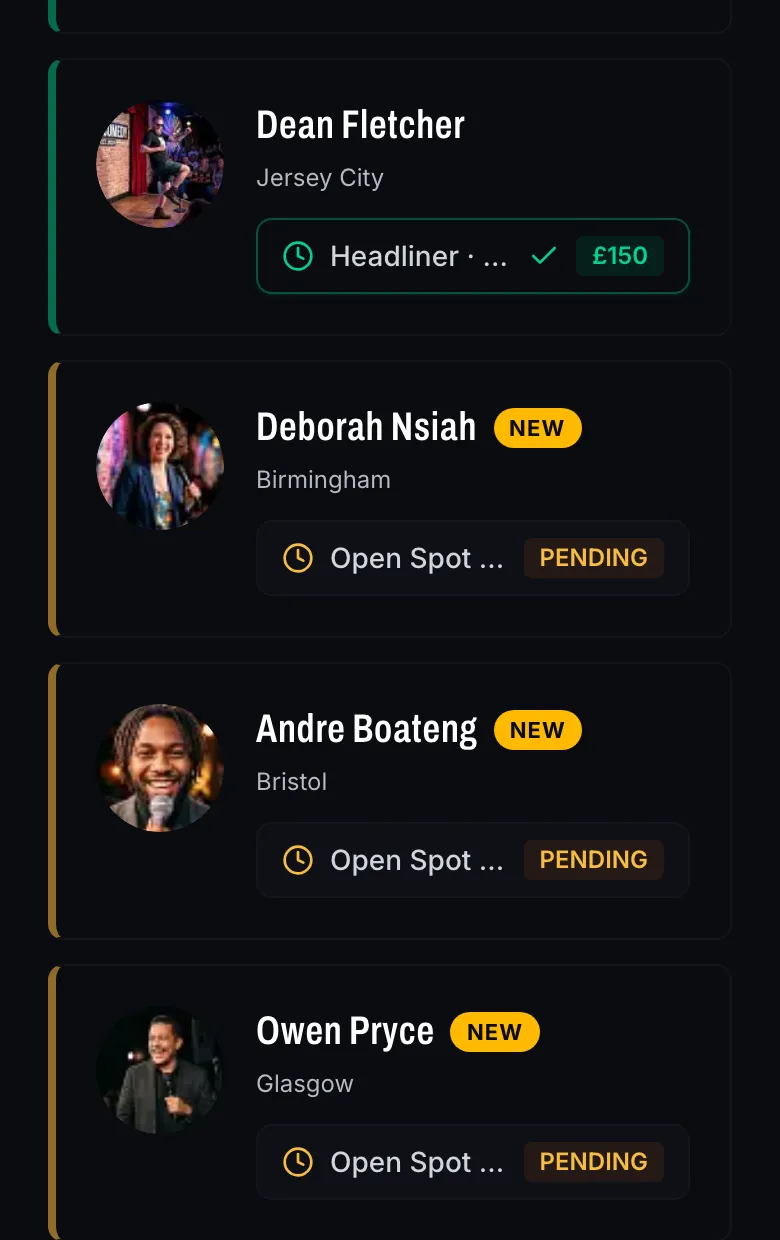
You are told when a comedian applies. Open the gig and tap the Applicants tab to see everyone in one list.
- New marks applications you have not opened yet.
- Pending means they are waiting on your answer.
- Tap a name to see their profile and clips, or to send them a message.
Step 7: Book your acts
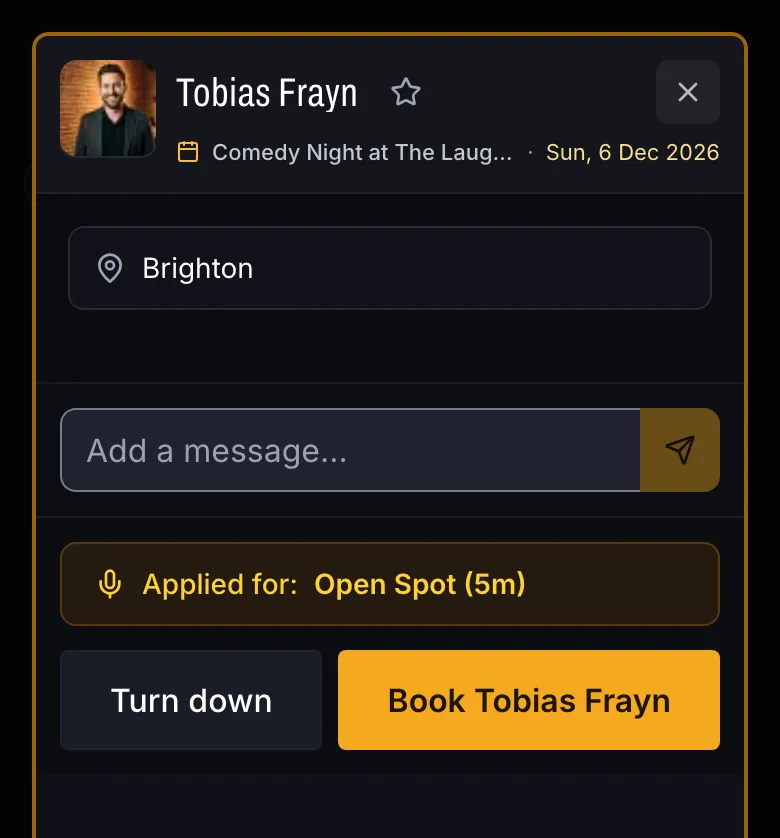
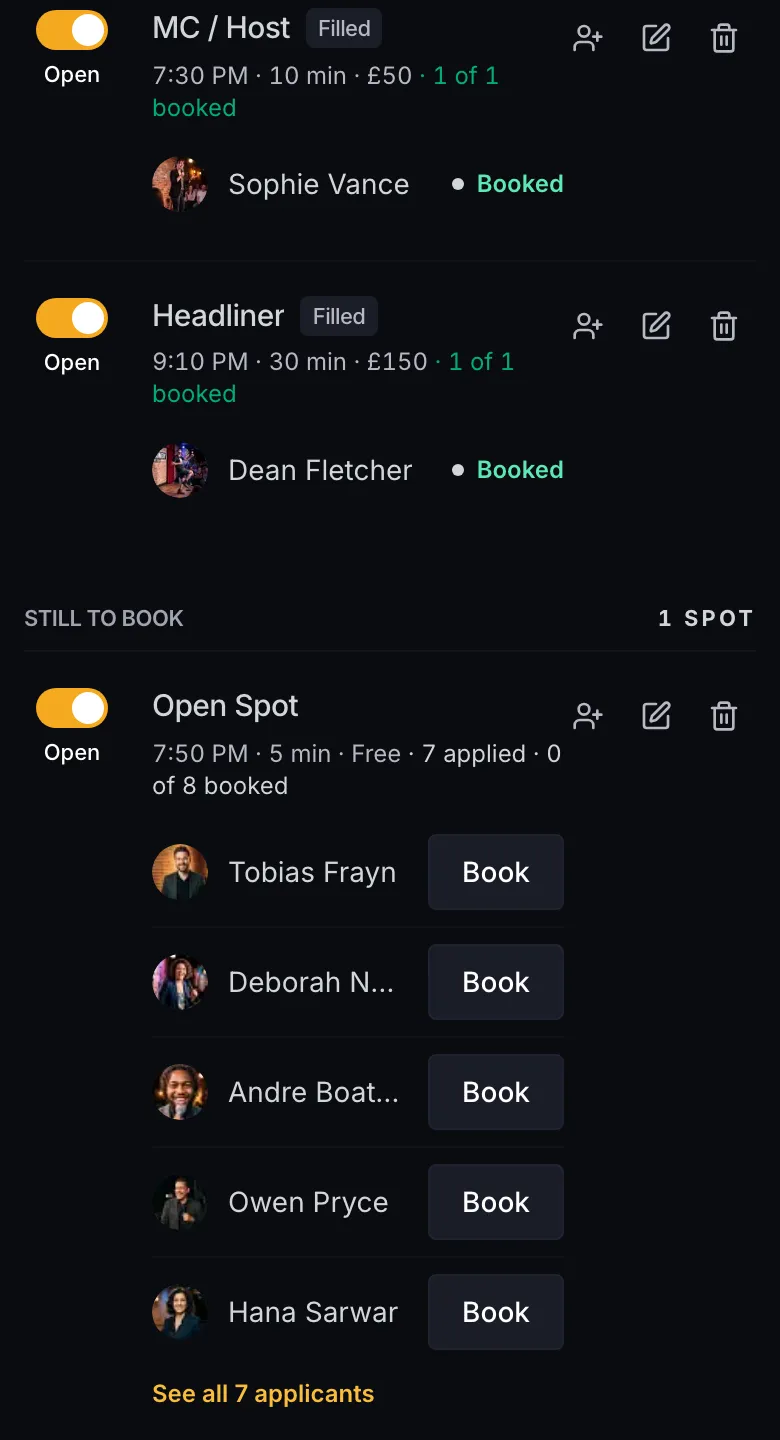
Open an applicant and tap Book. You can also book straight from the lineup, where each spot lists the acts who applied for it.
The act is told straight away, and the spot shows them as Booked. When a spot has all its acts it moves up to Filled.
If someone is not right for this night, tap Turn down. They are told, so nobody is left waiting.
Bring your regular acts with you
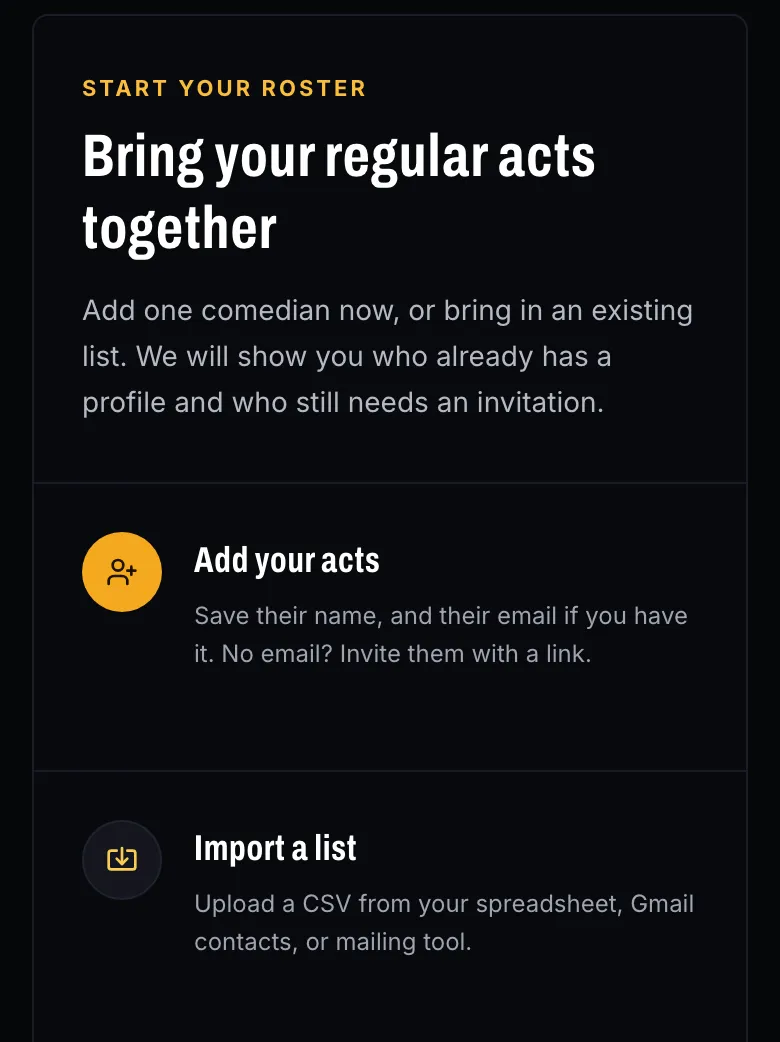
You already have comedians you book again and again. Add them once and they are a tap away for every gig. Open Invite acts in your account menu.
Three ways to add them
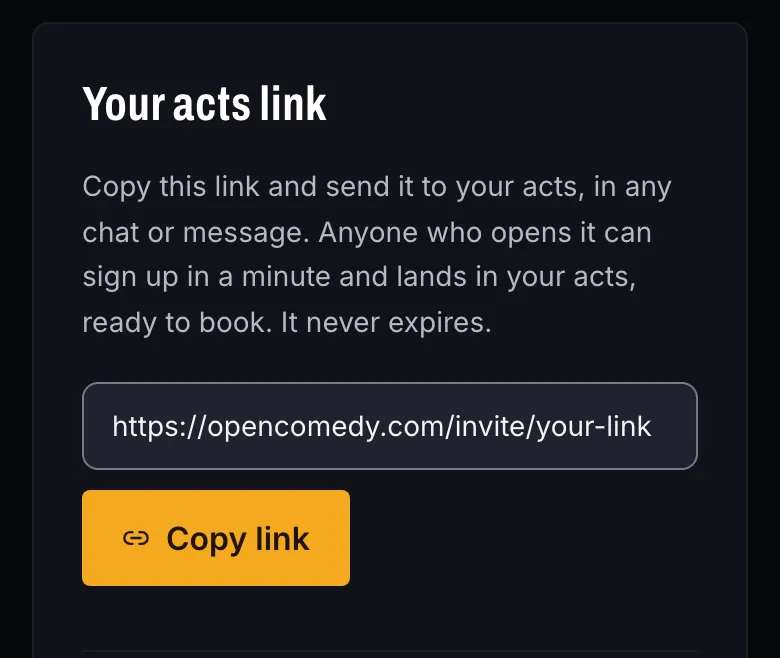
- Send your acts link. One link that never expires. Drop it in a group chat or a DM. Anyone who opens it signs up in a minute and lands in your acts. No email address needed.
- Add them by email. Tap Add contact and save a name, plus an email if you have it. You see who already has a profile and who still needs an invitation.
- Import a spreadsheet. Tap Import CSV and upload your list from a spreadsheet, Gmail contacts or a mailing tool.
Then, on any gig, tap Invite a performer on a spot and pick from Your acts. They get the offer and accept it, with no application to fill in.
Start with the link. It is the quickest, and your acts do the typing.
Get everyone to the gig
Once the bill is full, the running order, the messages and the reminders all live on the gig.
Running order and callsheet
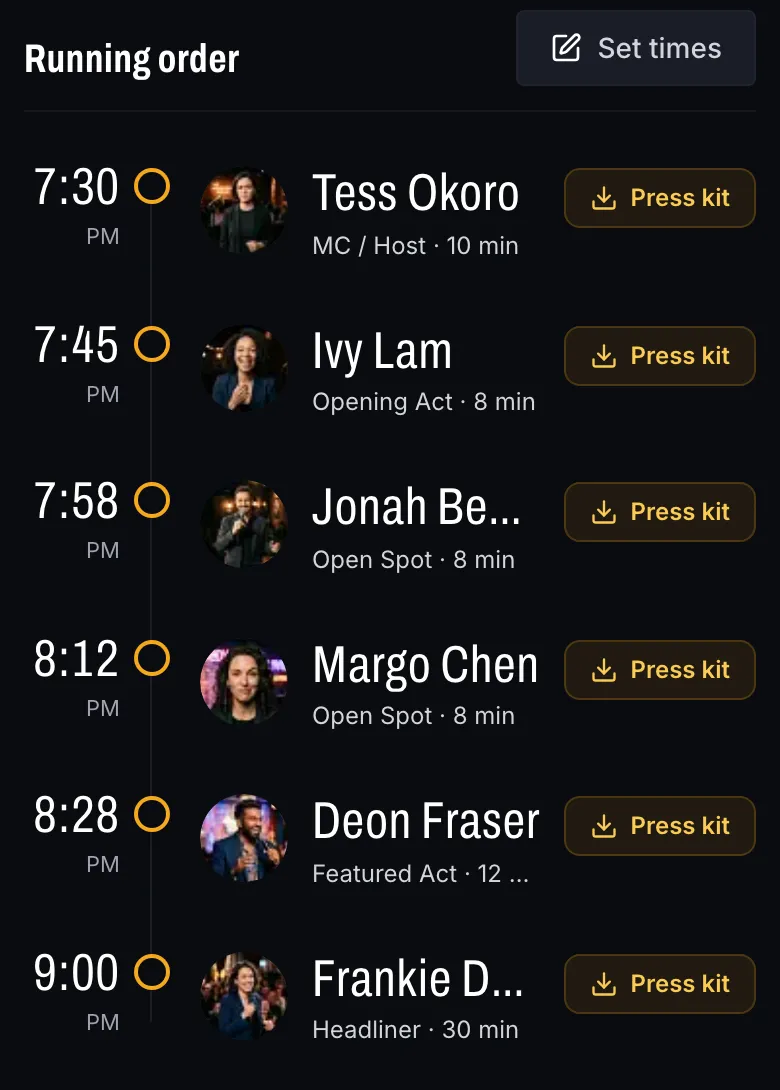
Open the gig, tap Lineup, then Running order. Tap Set times to put your booked acts in order and give each one a stage time.
That is your callsheet. Your booked acts can see it, and once the times are set, Share copies a link for the venue or anyone helping on the night.
Each act has a Press kit button, so the MC has a bio and photo for every intro.
Message the whole bill at once
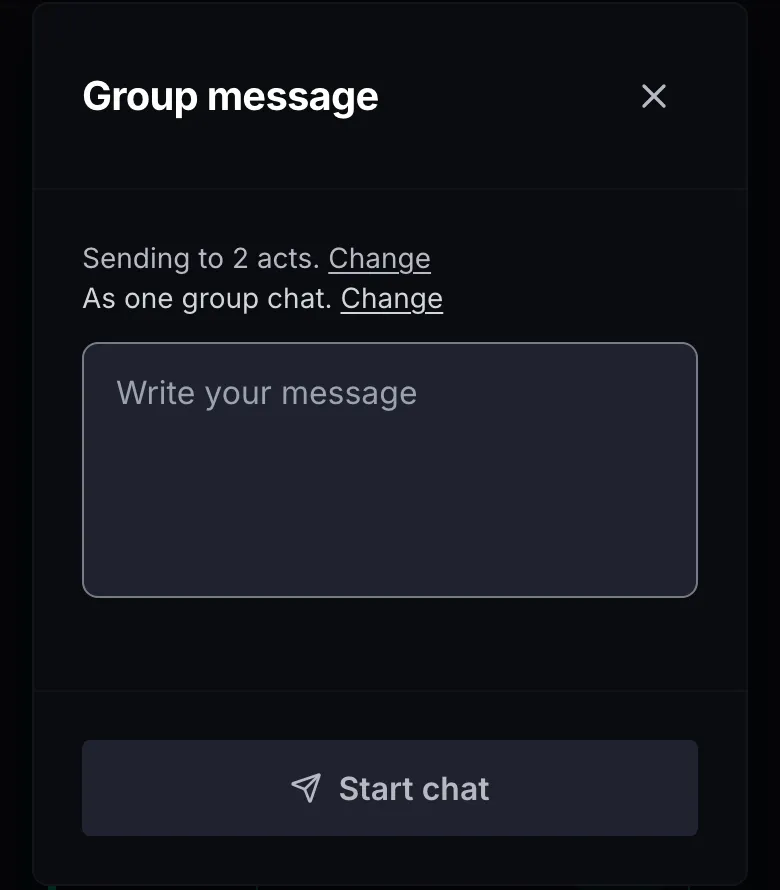
On the Applicants tab, tap Group message. Choose who it goes to, such as only your booked acts, and whether it is one group chat or a separate message to each act.
Use it for what everyone needs to know: arrival time, where to park, a change to the show.
Every act is reminded on the day
On the day of the gig, every booked act gets a reminder with their spot and stage time. You do not need to send anything, and nobody has to scroll back through a chat to find when they are on.
Frequently asked questions
- Is it free to list a comedy gig?
- Yes. Listing gigs, getting applications and booking acts on Open Comedy is free.
- Can I change the gig after I post it?
- Yes. Open the gig from My Events and tap the edit icon. You can change the details, the date and the spots.
- Can I list a weekly or monthly night?
- Yes. Choose Repeats on the date step and set the schedule once. Each date becomes its own gig with its own lineup.
- What happens when a spot is full?
- Comedians can still apply as a reserve. If a booked act drops out, you have someone ready to book.
- Do comedians need an account to apply?
- No. Anyone with your link can apply, and their account is set up as they go.
- What if I already know who I want?
- Tap Invite a performer on a spot and offer it to them directly. Add your regular acts once and they are ready to invite to every gig.
Book your next comedy show in minutes
List your gig now and share the link. Comedians apply to you, and you book the ones you want.